EU AI Act Transparency Rules in 2026: What Websites and Apps Need to Update
EU AI Act transparency rules in 2026 require clearer AI disclosures, chatbot notices, and content labels across websites, apps, and SaaS products.
Introduction
EU AI Act transparency rules became one of the most important technology topics in August 2026. From 2 August 2026, key transparency obligations under the EU AI Act started to apply, including requirements around informing users when they interact with AI systems and labeling certain AI-generated or manipulated content.
For businesses, this is not only a legal or policy issue. It is also a product design, web development, mobile app, and software architecture issue.
If your website, SaaS product, mobile app, chatbot, customer support workflow, or marketing system uses AI, you may need clearer disclosures, better content labels, stronger audit trails, and user experiences that make AI involvement easy to understand.
This article explains what the EU AI Act transparency rules mean at a practical level and what businesses should review across their websites and apps in 2026.
> This article is for general software planning and product guidance. It is not legal advice. Businesses affected by the EU AI Act should consult qualified legal counsel for compliance decisions.
Why the EU AI Act Transparency Rules Matter in 2026
The EU AI Act is designed to create a clearer framework for how artificial intelligence systems are developed, deployed, and used. One of its major goals is transparency: people should know when they are interacting with AI or consuming certain AI-generated content.
For business websites and apps, this matters because AI is now commonly used in:
- Customer support chatbots
- Website assistants
- SaaS copilots
- Recommendation systems
- Automated content generation
- Image, audio, or video generation
- Personalized product experiences
- Internal workflow automation
- Document summarization
- Sales and onboarding tools
Many companies added these features quickly over the last few years. In 2026, the focus is shifting from "can we add AI?" to "is our AI usage clear, safe, explainable, and properly disclosed?"
What Are the EU AI Act Transparency Rules?
The EU AI Act transparency rules focus on making AI involvement clear to users where disclosure is required. The exact obligation depends on the type of AI system, the role of the business, the use case, and whether the business is a provider, deployer, or both.
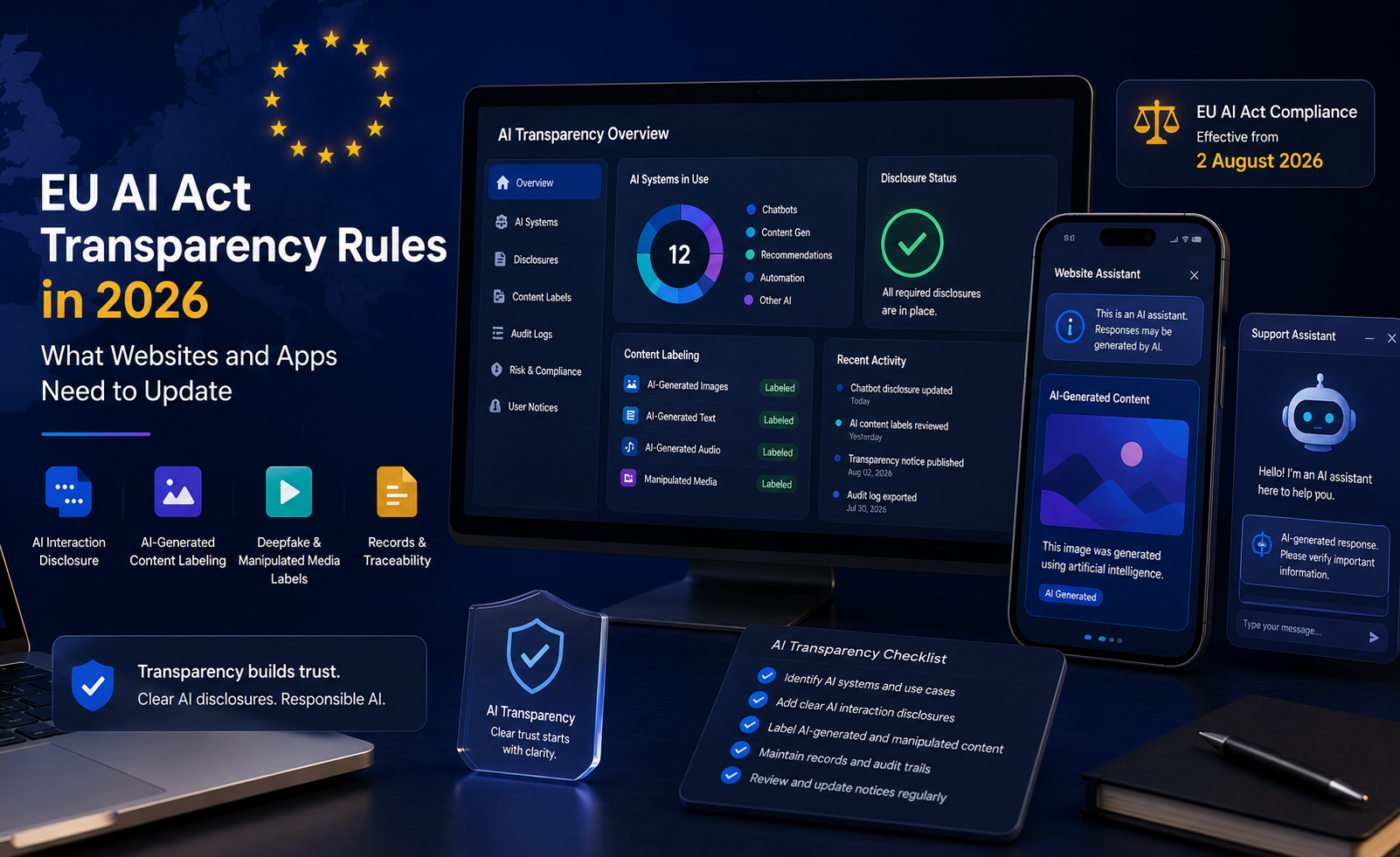
At a practical level, businesses should pay attention to four common transparency areas.
AI Interaction Disclosure
When users interact with an AI system such as a chatbot or virtual assistant, they may need to be informed that they are interacting with a machine, unless that is already obvious from the context.
For websites and apps, this can affect:
- Chat widget labels
- Support assistant introductions
- Helpdesk automation flows
- In-app onboarding assistants
- Voice or conversational interfaces
- AI-powered form helpers
The disclosure should be visible, understandable, and placed where users can actually notice it.
AI-Generated Content Labeling
Certain AI-generated content may need to be identifiable. This is especially relevant for generated images, audio, video, synthetic media, and realistic manipulated content.
Businesses should review whether they publish or distribute AI-generated:
- Product images
- Marketing visuals
- Blog images
- Social media creatives
- Video ads
- Voice clips
- Synthetic avatars
- Public information content
The more realistic or influential the content is, the more important clear labeling becomes.
Deepfake and Manipulated Media Labels
Deepfakes or realistic manipulated media may require clear labeling so users understand the content has been artificially generated or altered.
This can affect businesses using:
- AI-generated spokesperson videos
- Synthetic customer stories
- AI-edited product demos
- Generated training videos
- Voice cloning
- Realistic avatars
- Public-facing synthetic media
Even when the content is harmless or creative, transparency reduces confusion and builds trust.
Internal Records and Traceability
Transparency is easier when the product has good internal records. If a business cannot track where AI is used, what content was generated, or which features rely on AI, compliance becomes harder.
Useful records may include:
- AI feature inventory
- Model or vendor used
- Disclosure text
- Content generation logs
- Review and approval history
- User consent or acknowledgment where needed
- Version history of AI notices
- Risk review notes
This is where software architecture and compliance workflow meet.
What Websites Need to Update
Business websites are often the first place AI transparency issues appear. Many companies use chatbots, AI-generated images, automated lead qualification, AI-written content, or personalization tools without clearly explaining them to users.
Website updates may include:
- Add a visible label to AI chat widgets.
- Update chatbot welcome messages.
- Add AI usage information to privacy or terms pages.
- Label AI-generated images where required.
- Review blog and marketing content workflows.
- Add human review for sensitive AI-generated content.
- Create an internal inventory of AI tools used on the site.
- Make AI disclosures accessible on mobile screens.
- Avoid hiding disclosures inside long policy pages only.
The goal is simple: if AI is part of the user experience, users should not have to guess.
What Mobile Apps and SaaS Products Need to Update
Mobile apps and SaaS products often use AI more deeply than marketing websites. AI may be embedded into dashboards, support flows, recommendations, reports, search, onboarding, and account management.
For apps and SaaS products, businesses should review:
- Chatbot and assistant screens
- AI-generated reports
- Recommendation features
- Automated summaries
- User profile personalization
- AI-assisted decision support
- Notification content generated by AI
- In-app content creation tools
- Admin dashboards that use AI insights
A practical product update might include adding disclosure components to AI-powered screens, adding labels to generated outputs, storing AI generation metadata, and giving users a clear way to understand when a result was created or assisted by AI.
Practical Implementation Checklist
Use this checklist to start reviewing your website, app, or SaaS product.
Step 1: Create an AI Feature Inventory
List every place where AI is used across your digital product.
Include:
- Website chatbots
- Customer support tools
- Content generators
- Internal admin tools
- Recommendation systems
- AI search features
- Marketing automation
- Image, audio, or video generation
- Third-party AI plugins or scripts
Many businesses discover that AI is used in more places than expected.
Step 2: Classify User-Facing AI Features
Separate internal AI tools from user-facing AI experiences. User-facing features usually require more careful UX and transparency review.
Ask:
- Does the user interact directly with AI?
- Does AI produce content the user sees?
- Does AI influence recommendations or decisions?
- Is the AI output used in a sensitive context?
- Could the user reasonably mistake AI output for human output?
These questions help prioritize what needs attention first.
Step 3: Add Clear AI Disclosures
AI disclosures should be clear and practical.
Examples include:
- "You are chatting with an AI assistant."
- "This summary was generated by AI and reviewed by our team."
- "This image was created using AI."
- "Recommendations may be generated using automated systems."
Avoid vague language such as "powered by smart technology" when the real point is that AI is involved.
Step 4: Label AI-Generated Content
If your business publishes AI-generated or AI-manipulated content, add a labeling workflow.
This may include:
- CMS fields for AI-generated images
- Review steps before publishing
- Visible labels on public pages
- Metadata for media assets
- Editorial guidelines for generated content
- Approval logs for sensitive content
The implementation can be simple, but it should be consistent.
Step 5: Update Product UX
Transparency should be part of the interface, not only buried in legal pages.
Good UX patterns include:
- Small disclosure text near chat inputs
- Info icons explaining AI-assisted features
- Labels on generated summaries
- Audit history in admin dashboards
- Confirmation prompts for sensitive automated actions
- Human support fallback where appropriate
Clear product design helps users trust the system.
Step 6: Improve Logging and Audit Trails
If your product uses AI in important workflows, logging matters.
Track:
- When AI was used
- What feature triggered it
- Which user or system initiated the action
- Whether a human reviewed the output
- What content was generated
- What version of the disclosure was shown
- Whether the user accepted or continued
This helps with debugging, customer support, quality control, and compliance reviews.
Example AI Transparency UX Pattern
A SaaS product with an AI support assistant might use a simple disclosure pattern.
1<div class="ai-disclosure">2 <strong>AI assistant</strong>3 You are chatting with an AI assistant. For sensitive account issues, our team may review the conversation and follow up.4</div>For a generated report, the product might show:
1<div class="ai-generated-label">2 This report summary was generated by AI and should be reviewed before making business decisions.3</div>The exact wording should be reviewed by your legal and compliance team, but the product principle is clear: make AI involvement visible at the moment it matters.
Website and App Areas to Audit
Businesses should audit both frontend and backend systems.
digital-product/├── website/│ ├── chatbot-disclosure│ ├── ai-generated-content-labels│ ├── privacy-policy-updates│ └── contact-form-automation├── mobile-app/│ ├── assistant-screens│ ├── notification-copy│ ├── generated-summaries│ └── permission-flows└── saas-platform/ ├── recommendation-features ├── report-generation ├── admin-audit-logs └── human-review-workflowsThis kind of audit helps teams move from scattered AI usage to a controlled product strategy.
Common Mistakes Businesses Should Avoid
AI transparency updates can be straightforward, but businesses often make avoidable mistakes.
Avoid:
- Using vague disclosure language: Users should understand when AI is involved.
- Only updating the privacy policy: Important disclosures often belong inside the product interface.
- Forgetting mobile layouts: AI labels must be readable on smaller screens.
- Ignoring third-party tools: Chat widgets, plugins, and automation platforms may still affect your responsibility.
- Skipping internal documentation: Teams need a record of where AI is used.
- Treating all AI features the same: A simple FAQ assistant is different from AI decision support.
- Publishing synthetic media without review: Realistic AI-generated content should be handled carefully.
- Leaving old AI workflows undocumented: Existing systems may also need review.
Good compliance-ready development is not just about adding a label. It is about making AI usage clear, traceable, and maintainable.
EU AI Act Transparency Rules FAQ
When did the EU AI Act transparency rules start applying?
Key transparency obligations under the EU AI Act started applying from 2 August 2026. Some obligations and transition periods vary by use case, system type, and timeline.
Do all websites need AI disclosures?
No. A website generally needs AI disclosures when it uses AI in ways that trigger transparency obligations, such as AI chatbots, AI-generated content, or certain synthetic media. Businesses should review their specific use cases.
Does an AI chatbot need a disclosure?
In many cases, yes. If users are interacting with an AI system, they may need to be informed that they are interacting with AI unless it is obvious from the context.
Should AI-generated images be labeled?
Certain AI-generated or manipulated content may need to be identifiable or labeled, especially when it could be mistaken for real content or affects public understanding.
Is this only relevant to European companies?
Not necessarily. Businesses outside the EU may still be affected if they provide AI systems, websites, apps, or services to users in the EU. Legal scope should be confirmed with qualified counsel.
Can developers implement AI transparency features?
Yes. Developers can add AI disclosure components, content labels, audit logs, CMS fields, admin review workflows, and product UX updates. Legal teams should guide the required wording and scope.
How CodeHills Can Help
EU AI Act transparency rules affect how websites, apps, and SaaS products are designed and maintained. Businesses may need both compliance guidance and technical implementation support.
At CodeHills, we can help with the software side of AI transparency updates, including:
- Website and app AI feature audits
- Chatbot disclosure UI
- AI-generated content labels
- CMS fields for AI content status
- SaaS dashboard updates
- Mobile app disclosure screens
- Admin review workflows
- Logging and audit trail implementation
- Privacy and terms page development support
- AI feature integration with better user controls
The goal is to make AI-powered products clearer, safer, and easier to maintain.
Final Thoughts
EU AI Act transparency rules in 2026 are a strong reminder that AI features need thoughtful product design, not just technical integration.
For businesses, the next step is to review where AI appears across websites, apps, SaaS platforms, chatbots, content workflows, and customer-facing systems. Then update the interface, labels, logs, and review process so users can understand when AI is involved.
The companies that handle this well will not only reduce compliance risk. They will also build more trustworthy digital products.
Ready to turn this idea into a working system?
Share your goals, workflow, or product challenge. We will review the details and recommend the most practical next step.
In This Article
- Introduction
- Why the EU AI Act Transparency Rules Matter in 2026
- What Are the EU AI Act Transparency Rules?
- What Websites Need to Update
- What Mobile Apps and SaaS Products Need to Update
- Practical Implementation Checklist
- Example AI Transparency UX Pattern
- Website and App Areas to Audit
- Common Mistakes Businesses Should Avoid
- EU AI Act Transparency Rules FAQ
- How CodeHills Can Help
- Final Thoughts
Discussion
Share your thoughts, questions, or practical experience below.
No comments yet. Be the first to share a thoughtful question or perspective.