NativeScript Custom Native Functionality: Java and Swift Case Study
NativeScript custom native functionality case study using Java and Swift to add platform-specific features to a cross-platform mobile app.
Introduction
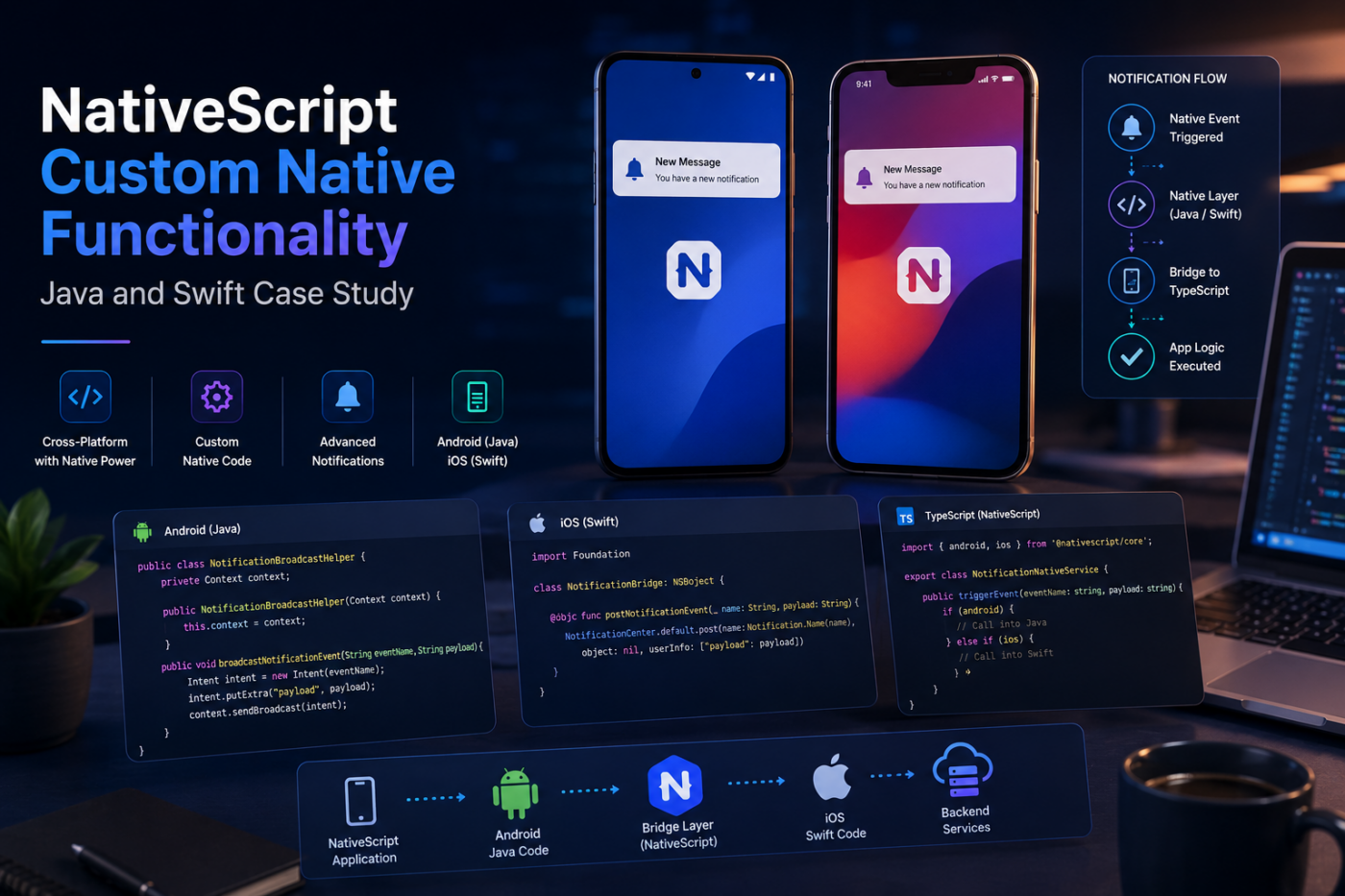
NativeScript custom native functionality becomes important when a mobile app needs deeper Android or iOS behavior than a cross-platform abstraction can provide. In one client project, the app required platform-specific notification behavior that involved native Android Java code, native iOS Swift code, and a clean bridge back into the NativeScript TypeScript layer.
The goal was not to abandon cross-platform development. The goal was to keep the productivity of NativeScript while adding native functionality exactly where the app needed it.
This case study explains the thinking behind that approach: when custom native code is useful, how Java and Swift can fit inside a NativeScript app, how the native layer communicates with TypeScript, and what businesses should understand before building advanced cross-platform mobile features.
The Client Requirement
The client app needed more control over notification-related behavior than a standard shared mobile implementation could provide. The application had to respond to events, handle platform-specific notification flows, and keep the app experience consistent across Android and iOS.
The core requirement was simple from a product point of view:
- Receive or react to important notification events.
- Trigger app behavior when platform-specific events happen.
- Keep Android and iOS behavior aligned where possible.
- Use native APIs where the cross-platform layer was not enough.
- Expose a simple interface for the main NativeScript application.
From an engineering point of view, the work was more nuanced. Android and iOS handle notification events, app lifecycle behavior, background execution, and native callbacks differently. A shared TypeScript codebase can coordinate the product logic, but some responsibilities are better handled close to the platform.
Why Cross-Platform Code Was Not Enough
Cross-platform frameworks are excellent for building shared screens, business logic, API calls, forms, user flows, and many common device features. But mobile apps sometimes need native extensions.
In this project, the app needed lower-level platform behavior around notification broadcasting and native event handling. Trying to force everything into shared code would have made the implementation harder to maintain.
Native code was the better choice because it allowed the app to:
- Use Android broadcast receiver patterns directly.
- Use iOS notification and application lifecycle APIs directly.
- Handle platform-specific permissions and callbacks more cleanly.
- Keep edge cases isolated inside each platform implementation.
- Expose a smaller, easier API to the TypeScript layer.
That is one of the practical strengths of NativeScript. You can build most of the app with shared TypeScript, then drop into Java, Kotlin, Swift, or Objective-C when native access is required.
How NativeScript Supports Custom Native Code
NativeScript gives developers access to native platform APIs from the app. It also supports adding platform-specific files directly into the project.
A common structure looks like this:
nativescript-app/└── app/ ├── App_Resources/ │ ├── Android/ │ │ └── src/ │ │ └── main/ │ │ └── java/ │ │ └── com/ │ │ └── company/ │ │ └── app/ │ │ └── NotificationBroadcastHelper.java │ └── iOS/ │ └── src/ │ └── NotificationBridge.swift └── services/ └── notification-native.service.tsThis structure keeps native platform code close to the app while preserving a shared service layer for the rest of the NativeScript application.
The pattern is straightforward:
- Add Java code for Android-specific functionality.
- Add Swift code for iOS-specific functionality.
- Expose native methods in a way NativeScript can call.
- Wrap platform differences inside a TypeScript service.
- Let the rest of the app use one clean interface.
Android Implementation: Custom Java Functionality
On Android, custom notification behavior often involves platform APIs such as intents, broadcast receivers, services, notification channels, and application lifecycle hooks.
For this case study, the Android side used a Java helper class to isolate the native behavior.
1package com.company.app;2 3import android.content.Context;4import android.content.Intent;5 6public class NotificationBroadcastHelper {7 private final Context context;8 9 public NotificationBroadcastHelper(Context context) {10 this.context = context;11 }12 13 public void broadcastNotificationEvent(String eventName, String payload) {14 Intent intent = new Intent(eventName);15 intent.putExtra("payload", payload);16 context.sendBroadcast(intent);17 }18}The actual implementation depends on the app requirements, Android version support, permissions, and whether the event is internal to the app or part of a broader notification flow.
The important part is the boundary: Android-specific behavior stays in Java, while the NativeScript app only calls a clear method.
iOS Implementation: Custom Swift Functionality
On iOS, notification handling often uses different concepts such as NotificationCenter, app delegate callbacks, foreground notification handling, and permission flows.
The iOS implementation used Swift to provide a native bridge that could expose relevant methods back to NativeScript.
1import Foundation2 3@objcMembers4class NotificationBridge: NSObject {5 func postNotificationEvent(_ eventName: String, payload: String) {6 NotificationCenter.default.post(7 name: Notification.Name(eventName),8 object: nil,9 userInfo: ["payload": payload]10 )11 }12}The @objcMembers annotation helps expose the Swift class and methods so they can be accessed from the JavaScript or TypeScript runtime.
As with Android, the point is not to duplicate the entire application in native code. The point is to place the platform-specific responsibility where it belongs.
Connecting Native Code Back to TypeScript
The shared NativeScript application should not need to know every native detail. A service layer can hide the platform differences and provide a single method for the rest of the app.
1import { Application, isAndroid, isIOS } from '@nativescript/core'2 3export class NotificationNativeService {4 broadcast(eventName: string, payload: string) {5 if (isAndroid) {6 const context = Application.android.context7 const helper = new com.company.app.NotificationBroadcastHelper(context)8 helper.broadcastNotificationEvent(eventName, payload)9 return10 }11 12 if (isIOS) {13 const bridge = NotificationBridge.new()14 bridge.postNotificationEventPayload(eventName, payload)15 }16 }17}This keeps the app code clean. Screens, view models, and business logic can call NotificationNativeService without needing to understand Android intents or iOS NotificationCenter behavior.
For long-term maintenance, this separation matters. It prevents platform-specific code from spreading across the app.
Testing Platform-Specific Behavior
Custom native functionality should always be tested on real devices where possible. Simulators and emulators are useful, but notification behavior, permissions, lifecycle events, and background handling can behave differently on real hardware.
For this type of NativeScript implementation, testing should cover:
- Android foreground behavior
- Android background behavior
- Android app restart behavior
- iOS foreground behavior
- iOS background behavior
- Permission denied states
- Permission granted states
- Payload formatting
- App navigation after notification events
- Error handling when native methods fail
Testing also needs to include different OS versions. Mobile platform behavior changes over time, especially around background execution, notifications, and permissions.
Architecture Lessons From the Project
The biggest lesson was that custom native code should be treated as a focused extension, not a shortcut.
Good native integration follows clear boundaries:
- Keep shared business logic in TypeScript.
- Keep Android-specific behavior in Java or Kotlin.
- Keep iOS-specific behavior in Swift or Objective-C.
- Wrap native calls in a small service layer.
- Avoid exposing native complexity to every screen.
- Document platform differences clearly.
- Test notification flows on real devices.
This approach makes the codebase easier to understand. It also makes future updates safer because Android and iOS behavior can evolve independently without disrupting the shared application logic.
When to Use Native Code in a NativeScript App
Native code is useful when the app needs direct platform control that is difficult, limited, or awkward through shared code alone.
Good reasons to add custom native functionality include:
- Advanced notification handling
- Custom broadcast receivers
- Native SDK integrations
- Bluetooth or hardware access
- Background services
- Platform-specific security features
- Custom camera or media behavior
- Native UI components
- App lifecycle customization
- Vendor SDKs that only provide native libraries
Native code should not be the first choice for every feature. For standard screens, forms, API integrations, local storage, and common device functionality, shared NativeScript code is usually better.
The best mobile architecture uses native code only where it adds real value.
Business Value of This Approach
For a business, the benefit is practical. You can build a cross-platform app without losing access to advanced native functionality.
This means:
- Faster development than building two completely separate apps.
- Better platform control than a purely abstracted solution.
- Lower duplication across Android and iOS.
- More flexibility for advanced mobile features.
- A cleaner path for future native integrations.
For projects with complex mobile requirements, this hybrid approach can be the difference between a basic cross-platform app and a production-ready mobile product.
Common Mistakes to Avoid
Custom native code can make a NativeScript app more powerful, but it can also create maintenance problems if it is not organized well.
Avoid these mistakes:
- Putting platform logic everywhere: Native calls should be wrapped in focused services.
- Skipping real-device testing: Notification behavior can differ between emulator and device.
- Ignoring OS version differences: Android and iOS permission rules change over time.
- Mixing business rules into native files: Native code should handle platform behavior, not product logic.
- Forgetting cleanup: Native listeners, observers, and receivers should be removed when no longer needed.
- Poor naming: Native classes and bridge methods should be clear and consistent.
- No documentation: Future developers need to know why native code was added and how it connects to the app.
NativeScript Custom Native Functionality FAQ
Can NativeScript use native Java and Swift code?
Yes. NativeScript can access native Android and iOS APIs, and developers can add Java, Kotlin, Swift, or Objective-C files when the app needs platform-specific functionality.
Is custom native code required for every NativeScript app?
No. Many NativeScript apps can be built mostly with TypeScript and standard NativeScript plugins. Custom native code is useful when a project needs deeper platform control or a native SDK that does not already have a reliable plugin.
Is NativeScript good for business mobile apps?
Yes. NativeScript can be a strong choice for business mobile apps that need a shared codebase, native performance, and access to Android and iOS APIs.
What is the risk of adding native code to a cross-platform app?
The main risk is maintenance complexity. If native code is scattered across the project, it becomes harder to debug and update. A clean service layer and clear documentation reduce that risk.
Should a business choose NativeScript or fully native development?
It depends on the project. NativeScript is useful when a business wants cross-platform development with access to native APIs. Fully native development may be better for apps with extremely platform-specific interfaces, heavy graphics, or deep OS-level behavior.
How CodeHills Can Help With NativeScript Mobile Apps
At CodeHills, we help businesses build mobile applications that balance speed, maintainability, and platform capability. For NativeScript projects, that can include:
- Cross-platform mobile app development
- Native Android Java or Kotlin integration
- Native iOS Swift or Objective-C integration
- Push notification setup and debugging
- App lifecycle customization
- API and backend integration
- Performance optimization
- Real-device testing and release support
- Long-term app maintenance
The goal is to build mobile apps that work reliably in real business environments, not just in demos.
Final Thoughts
NativeScript custom native functionality is valuable when a mobile app needs both cross-platform productivity and direct access to Android or iOS behavior.
In this case study, custom Java and Swift code helped solve platform-specific notification requirements while keeping the main application logic clean in TypeScript. The result was a more flexible mobile architecture that could support advanced native behavior without giving up the benefits of a shared codebase.
For businesses building mobile apps, this is the real strength of a thoughtful cross-platform strategy: move fast where the code can be shared, and go native where the product truly needs platform-level control.
Ready to turn this idea into a working system?
Share your goals, workflow, or product challenge. We will review the details and recommend the most practical next step.
In This Article
- Introduction
- The Client Requirement
- Why Cross-Platform Code Was Not Enough
- How NativeScript Supports Custom Native Code
- Android Implementation: Custom Java Functionality
- iOS Implementation: Custom Swift Functionality
- Connecting Native Code Back to TypeScript
- Testing Platform-Specific Behavior
- Architecture Lessons From the Project
- When to Use Native Code in a NativeScript App
- Business Value of This Approach
- Common Mistakes to Avoid
- NativeScript Custom Native Functionality FAQ
- How CodeHills Can Help With NativeScript Mobile Apps
- Final Thoughts
Discussion
Share your thoughts, questions, or practical experience below.
No comments yet. Be the first to share a thoughtful question or perspective.